Independent agents & agencies
Collect details once. Prepare more submissions to explore coverage and pricing for your clients.
Your AI intake and submission workspace. Prepare more submissions, compare better coverage options, and spend less time on paperwork.
Create my branded AI intakeSee an example intake
 Existing application
State Farm, Allstate, Travelers and more. Start with the policies and documents your clients already have.









Carrier logos identify document examples, not customers, endorsements or direct carrier integrations.
For independent agencies, carrier-affiliated agents and wholesale teams. More time finding the right coverage. Less dead time between steps.
Collect details once. Prepare more submissions to explore coverage and pricing for your clients.
Give your book of business a branded front door and keep requests, documents and follow-up together.
Keep agency handoffs organized, assign the next step and move reviewed submissions forward.
AI brings in the details it can find. You can also enter them yourself.
Review your brand and try your own intake before it goes live.
Confirm your work email, share your page, and start with 10 free submissions.
Turn existing policies and applications into proposed answers and supported ACORD drafts. Review what AI finds, then take the next step.
Or enter the client’s details once.
Proposed answers, with sources for you to verify.
Verified details reused across mapped forms.
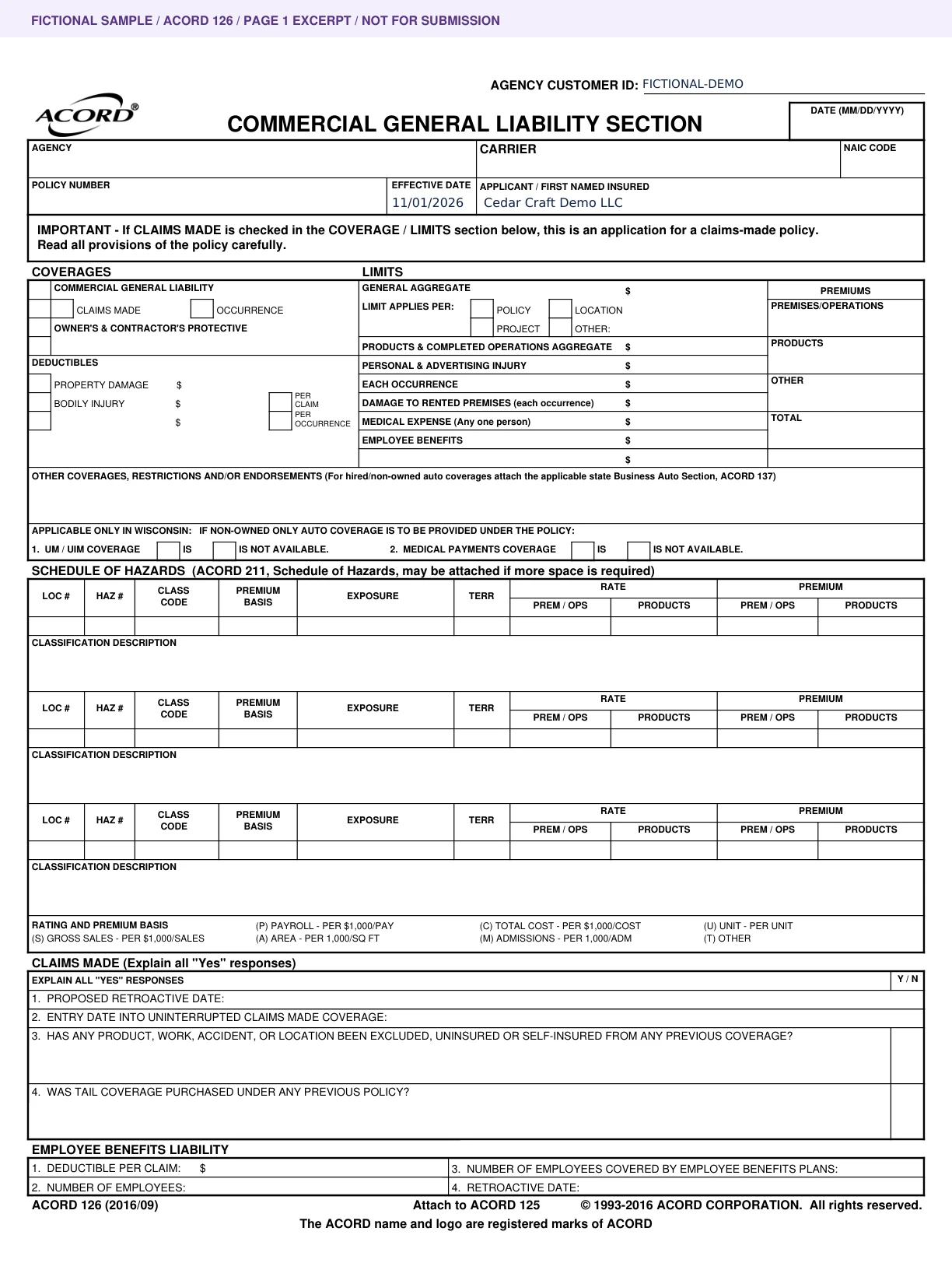
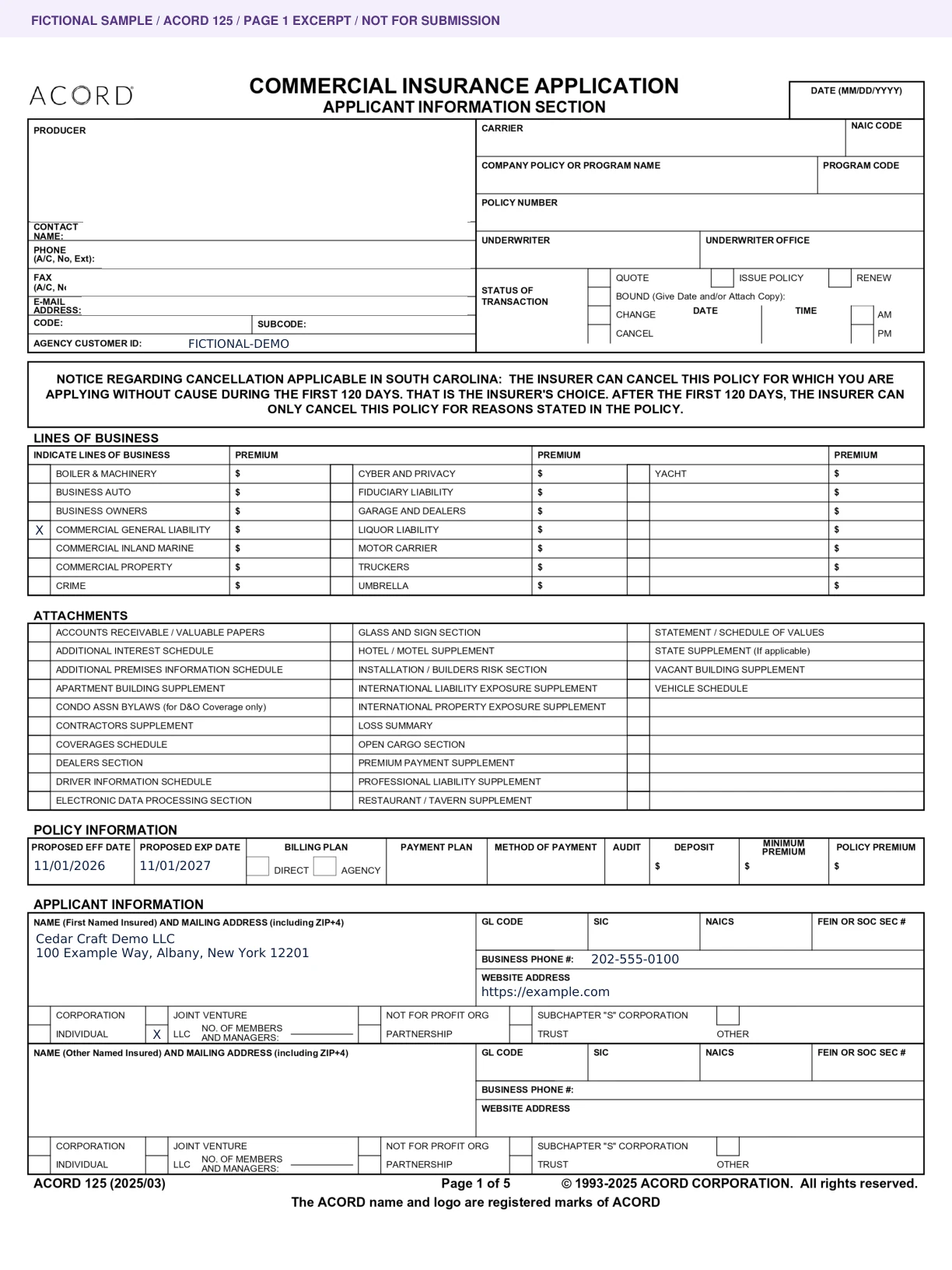
Actual generated samples · Unsigned page 1 excerpts, not for submission.
Check answers and missing details. Nothing is sent automatically.
Give every submission, conversation and follow-up a home. Connect the people doing the work with the clients and partners waiting on it.
Applications, source documents, internal notes, customer conversations and next steps stay with the account. See who owns the work and what needs attention.
Explore the product tourA simple AI assistant for your team and customers, with text chat and live voice.
Review upcoming renewals, reuse client details and make the next action clear.
Keep client records private and give each teammate permissions for their role.
Explore roles & permissionsTake reviewed client details from your hub into supported carrier-portal fields. Our Chrome extension keeps answers, sources and documents beside the application you’re completing.
Need help along the way? Open voice or text help in a compact Hub companion, or jump straight to your intake builder and examples.
Download Chrome extensionChoose the client and approved application in your hub. A licensed reviewer prepares the answers and documents for one carrier portal.
A pilot, not a universal carrier integration. Setup and portal-specific testing are required. There is no automatic login, and the extension never submits or binds coverage.
This is an unpacked Chrome extension pilot, not a Chrome Web Store listing or carrier certification. Installation may require your browser administrator. Real-carrier compatibility and installed-extension behavior still need validation before rollout.
Standard inputs and supported native fields can be filled after review. Unsupported widgets and embedded forms use the answer library or manual entry. Download individual documents or a ZIP and attach them manually when needed; unzip unless the carrier accepts ZIPs. Check uploaded files and all answers before submitting yourself.
YOUR WEBSITE. YOUR RELATIONSHIPS.Your trusted team. A simpler way to get started.
Give clients a simple “Get a quote” button that opens your branded request page, or put the form directly on your website. They can share a policy or tell you what they need. Every request arrives in your team’s workspace.
Use your hosted landing page with your logo, photo and contact details. Or embed just the form on the website you already have.
Prepare the core application once. Reuse confirmed business details across the coverage sections your account needs.
ACORD 125 · 126 + contractor supplemental when applicable
ACORD 125 · 140
ACORD 125 · 127 · 129
ACORD 125 · 130
ACORD 125 · 126 · 131 + applicable supplemental
ACORD has hundreds of forms across applications, certificates, schedules and servicing. Start with our mapped commercial templates, then scope the additional forms your brokerage uses.
Prepared field maps · Agency approval requiredApplicant, business details and prior insurance
Liability exposures and coverage details
Drivers, vehicles and commercial auto details
Additional vehicles and fleet information
Locations, employees and payroll classifications
Underlying coverage and excess liability details
Buildings, premises and business property
Contractor operations and additional underwriting questions
Prepared templates and field maps require agency approval for production use. Your team verifies the edition, state requirements and carrier acceptance.
Create and publish company questionnaires, request documents, and collect private customer responses in your Forms workspace. Authorized agency, carrier and specialty PDFs can also be mapped as destinations for confirmed answers.
Company questionnaires are not signed carrier applications. Custom PDF templates still need setup, field mapping and review before automatic population.
Branded intake also collects these coverage inquiries. Their carrier-specific application packages are configured separately.
Compare manual processing with AI-assisted preparation and review. See the value of the staff time you could get back, after software costs.
+$6,312potential annual efficiency gain
Compared with manual staff processing.Annual efficiency gain = manual staff cost − AI-assisted staff cost − software cost. ROI = annual efficiency gain ÷ annual software cost × 100. ROI subtracts software costs and includes human review. Sales commissions are not added, so the same saved hour is never counted twice.
Cost basis: Pro at $99/month includes 50 submissions. Each additional submission costs $3, including its supporting files, with approved usage. The one-time 10-submission free allowance is not repeated each month or included in this ongoing Pro estimate. Setup and other business expenses are excluded; this is not total business ROI.
Illustrative comparison, not measured performance or guaranteed profit. Recovered staff time becomes cash savings only if costs fall; otherwise it is capacity your team can put toward more business. Assumes 12 identical months.
Create your branded intake with your AI guide. See it, try it, and start collecting client requests.
After 10 live submissions, additional processing pauses until you approve a paid plan or usage arrangement. Your saved work stays available.
Above the allowance: $3 per additional submission, with an approved usage arrangement.
Get Pro with our teamStart on the Free plan: $0, a branded intake page, workspace and 10 live submissions total, with no card required. Upgrade when ready to Pro at $99/month, including 50 submissions per billing month. A submission is one client application request and its supporting source documents. After the free or included allowance, additional processing is $3 per additional submission, including its supporting source documents. Adding files, retrying the same request and generating draft forms do not create additional submissions. Unused included submissions do not roll over. Additional usage is enabled only after you approve a usage arrangement; there are no automatic overage charges. Prices are USD. Paid activation requires your approval; custom websites, SEO, integrations and implementation are quoted separately.
Example: 50 included submissions plus 10 extra submissions = $129 for that month. Usage is enabled only with your approval.

Built by insurance and AI professionals. Talk with our team about your forms, your team and a rollout that fits your brokerage.
Agency operationsA practical guide to improving insurance intake, document preparation, renewals and follow-up—while keeping your team in control.
Read the guide 2027 planning
Build a practical 2027 automation plan with better intake, reliable source data, clear ownership, useful metrics and a measured rollout.
Read the guideClient experienceDesign a branded insurance intake with a policy upload, a clear manual path and helpful next steps—then test it before you publish.
Read the guideYes. Drop in your website or enter your details, then see and try your own branded intake. Confirm your work email and workspace when you choose to publish.
Yes. Start with 10 free submissions, with no payment details and no automatic charge. Preview tests do not use your trial. After 10 live submissions, new processing pauses until you approve a paid plan.
No. Share your hosted branded page, or choose a form-only embed for a website you already have.
The request reaches your private workspace. Your team reviews the information, resolves anything missing and prepares the next step. Coverage is not bound by submitting a form.
See your branded intake before you create an account.